Steam page trailers fail softly long before launch day. The failure is visual inconsistency: the hero reads one way in the key art, another in the combat snippet, and a third in the logo sting. Indie teams notice during milestone sprint reviews, when the designer who owns the art bible realizes previs clips were generated from reference piles instead of assigned roles. Seedance 3.0 is listed on the homepage as coming soon, with Seedance 2.0 available now across Text to Video, Image to Video, and Reference to Video modes. SeedVideo operates as an independent third-party AI video studio and is not affiliated with ByteDance; Seedance remains a ByteDance trademark. Coherent trailer previs depends less on longer prompts than on giving each uploaded file exactly one job before anyone spends Standard credits.
The art bible’s character turnaround sheet should drive that assignment. Turnaround orthographic views belong to Subject. Environment concept boards belong to Scene. Gameplay capture or mocap loops belong to Motion. Optional VO or sfx guides belong to Audio—and only when sound is part of the approval question. When every file carries one tag, the builder stops blending identities across shots, and the small team can defend the Steam page as one continuous world instead of three happy accidents.
Why Unlabeled References Break Trailer Continuity Across Shots
Trailer previs is not final cinematics. It is proof that marketing assets, in-engine footage, and UI beats can coexist in a thirty-second vertical slice. The observable failure is familiar: armor silhouette shifts between cuts, fog color jumps, and the protagonist’s face ages five years between the establishing shot and the ability reveal. That happens when Reference to Video jobs receive a folder dump—turnaround, mood board, and a shaky combat clip—without telling the model which input controls which attribute.
The builder exposes four reference roles in the workflow: Subject, Scene, Motion, and Audio. Treat them like department heads on a miniature set. The subject holds identity. The scene holds lighting and layout. Motion holds timing and gesture. Audio holds rhythm when you deliberately want it—and turning audio off during silent layout passes avoids unnecessary credit cost, the same way music editors mute tracks while blocking cameras. The point here is role clarity, not a deep dive on sound economics.
During the milestone sprint, the designer who owns the bible is also the person who must explain inconsistencies to publishing. Assigning one role per file before clicking generate is cheaper than a group chat argument about which clip “felt off.” In practice, the turnaround sheet never shares an upload slot with the fog concept board, even when both files live in the same art-bible folder.
Reference to Video mode amplifies mistakes when roles stack wrong. A combat loop tagged as Subject pulls armor proportions toward motion blur instead of orthographic truth. An environment plate tagged as Motion smears lighting across a character who should stay stable. The cost is not only credits—it is a full afternoon re-blocking shots that publishing already approved in storyboard form.
Five Ordered Steps From Mode Pick To Reusable Last Frame
Follow this sequence on every trailer beat before upgrading from Fast to Standard mode. Skipping steps is how indie teams buy inconsistent hero shots twice.
Step One Choose Job Type And Builder Controls
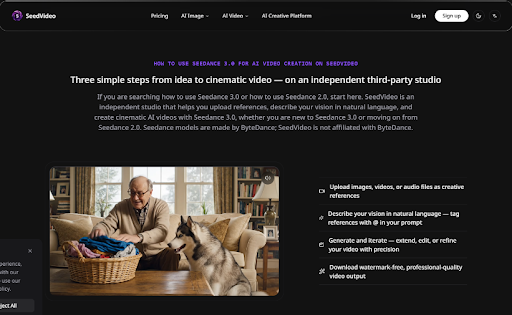
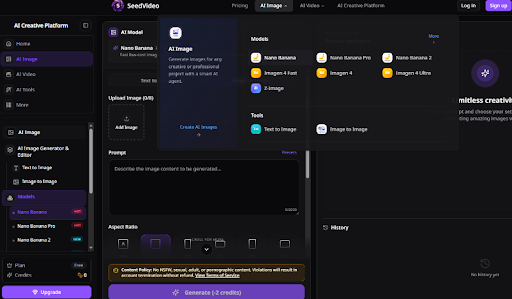
Open the SeedVideo builder and pick the mode that matches the beat. Text to Video for pure mood pieces without captured gameplay. Image to Video when the turnaround sheet or key art should drive motion. Reference to Video when multiple tagged inputs must cooperate. Set ratio to 16:9 for Steam trailers unless the page specifies otherwise. Set duration to five seconds for blocking; eight seconds only when the beat truly needs breathing room. Keep resolution at 480p for first passes, 720p for internal review, and 1080p for finals when available. Watch the credit preview—thirty credits on one configuration and sixty-four on another is common once duration and mode stack—before committing.
Step Two Upload References With Single Roles Only
From the art bible, upload one character turnaround sheet as Subject—not the same file also tagged as Scene. Upload environment concept as Scene. Upload gameplay or mocap as Motion. If the beat needs sfx timing, tag a short audio guide as Audio; otherwise leave audio out of the job entirely. Web Search stays off unless the beat needs factual props the bible lacks. This step prevents the model from averaging faces across unrelated inputs.
Step Three Write A Short Prompt As Shot Direction
Prompts should read like short directions, not lore essays. Name the camera move, the emotional beat, and what must stay fixed from the tagged references. Example pattern: “Slow push-in on hero, cape catches rim light from Scene ref, idle combat stance from Motion ref, hold silhouette from Subject turnaround.” Long prompts dilute role tags; short prompts force the team to decide what actually matters for Steam.
For logo stings and UI beats, keep prompts under three sentences and reference only the tags uploaded in step two. If the prompt mentions a cape but Motion ref shows a shield bash, the model splits the difference and the Steam page shows a hero who cannot decide what weapon they carry.
Step Four Start Fast Then Upgrade To Standard
Run Fast mode at 480p or 720p until the silhouette matches the turnaround sheet in two consecutive passes. Only then switch to Standard for texture and motion fidelity. Seedance 2.0 multimodal input handles text, image, video, and audio together, but Standard’s per-second credit rate is higher—roughly two and a half credits per second versus about two on Fast—so Standard belongs after blocking, not during it.
Step Five Reuse Last Frame Into The Next Beat
When a pass clears art-bible review, capture Last Frame and feed it forward as the Subject or Scene anchor for the next shot. Trailer sequences stay chained without re-uploading the entire bible each time. The Seedance 3.0 AI Video Generator path rewards this reuse: continuity becomes a pipeline habit instead of a lucky render. Store each exported Last Frame beside the beat name in the sprint board so the next designer shift knows which frame is canonical.
Previs Checklist Before Standard Credits Leave The Pool
Use the table as a gate before any Standard render on a milestone sprint day. If a row fails, fix roles or prompts—not resolution.
| Gate | Pass signal | Fail signal |
| Subject tag | Silhouette matches turnaround orthographic | Face or armor drift vs key art |
| Scene tag | Fog and palette match concept board | Background reads as new location |
| Motion tag | Ability timing matches capture loop | Gesture invents new combat style |
| Duration | 5s unless beat needs 8s | 8s used “just in case” |
| Mode tier | Fast cleared twice before Standard | Standard on first exploratory click |
| Last Frame | Exported for next shot in sequence | Each shot starts cold from bible dump |
Teams that run the checklist spend meeting time on publishing copy instead of arguing whether the hero’s pauldrons changed between cuts. The checklist also documents who approved which pass—useful when the publisher asks why the Steam capsule still matches the trailer six weeks later.
Pair the checklist with a pass/fail log in the art bible doc: date, beat name, mode tier, approver initials. When Steam review questions a visual six weeks out, the log beats memory. Small teams without producers benefit most because no one else holds continuity for them.
SeedVideo credit previews help here: logging the preview number beside each checklist row makes sprint retros honest about where Standard spend actually went.
Common Previs Errors That Waste Milestone Sprint Days
Dumping the entire art bible into one Reference to Video job is the fastest way to burn a sprint day. The model merges cues; the designer loses defensible continuity. Writing ten-sentence prompts that restate lore instead of camera intent produces pretty noise that still fails the checklist. Jumping to Standard because Fast “felt blurry” without confirming silhouette alignment wastes credits—blur on a wrong-shaped hero is still a wrong-shaped hero. Ignoring Last Frame chaining forces every cut to rediscover the same approved frame, which shows up on the Steam page as subtle identity drift viewers feel but cannot name.
SeedVideo NSFW policy is absolute: no adult or sexual content, with account termination and no refund. Indie teams shipping fantasy violence still keep previs within platform rules; trailer previs is not the place to test edge-case prompts that could freeze the shared account mid-sprint.
When Role-First Previs Beats Waiting For Final Engine Capture
Role-first previs wins when the team must commit to Steam layout before final engine lighting is frozen—common on milestone sprints where marketing deadlines lead engineering. It also wins when the art bible is authoritative and gameplay capture is still a placeholder. It loses when the only reference is prose and no turnaround exists; in that case, fix the bible before generating, or the model invents identity.
Trailer coherence is a procurement problem disguised as an art problem. One role per file, Fast before Standard, Last Frame across beats—that is how indie designers keep the Steam page from looking like three different games stitched together. SeedVideo supplies the builder; the team supplies discipline. Publishers remember the trailer that matched the capsule, not the one that needed a day-one “visual update” apology.
On the next milestone sprint, open the art bible before the builder. Tag one role per reference, run the five steps in order, and let the checklist gate Standard spend. That sequence is boring, repeatable, and exactly what Steam pages reward when players decide whether the game looks trustworthy before wishlisting.